A service business loses jobs to the phone call it can't answer and loses money to the booking it gets wrong. Online booking fixes the first problem. The second one is where the care goes: the price a customer sees has to be the price they pay, a crew can't be in two places, and a card can't be charged twice.
This guide is for owners and founders of cleaning, home-service and other visit-based businesses. It is based on building a booking and payments system for Brunex Cleaning, a family-run cleaning business on Long Island. Before the build, enquiries came by phone, jobs were priced by hand and the schedule lived in people's heads. The system went live within three weeks of the first commit, with one developer. The rules below are the ones that mattered, whether you build or buy.
Should a service business build its own booking system or buy one?
Buy when your pricing and scheduling are standard; build when they are your own. Most hosted booking products already offer instant quotes, deposits, card on file and cancellation fees, and for many businesses that is enough and faster to start.
Building starts to make sense when the product forces you to change how you work: a pricing formula the owner has already written down, travel time between jobs, rules for who is allowed to do which job, or reporting the product can't produce. Brunex had a written pricing formula and wanted customers to book without anyone touching the price, so the formula became the product.
| Your situation | Usually the better fit |
|---|---|
| Simple price list, one or two crews | Buy |
| Standard deposits and cancellation fees | Buy |
| A pricing formula that already exists on paper | Test the product against it; often build |
| Travel buffers, shifts, qualified-crew rules | Test hard; often build |
| Booking, cleaners and payments in one back office | Build, or extend what you have |
The test is the same as for any software. Take your five most awkward real jobs and run them through the product. If someone still has to fix the price or the schedule by hand afterwards, it doesn't fit. Whichever way you go, the rules in the rest of this guide are what the system has to get right. If you do build, what an MVP really costs explains how to budget it.
How do instant quotes stay accurate?
Put the price calculation in one function on the server and nowhere else. The browser only asks for a quote and shows the result, so no one can change the price by editing the page, and the website and the back office can never disagree.
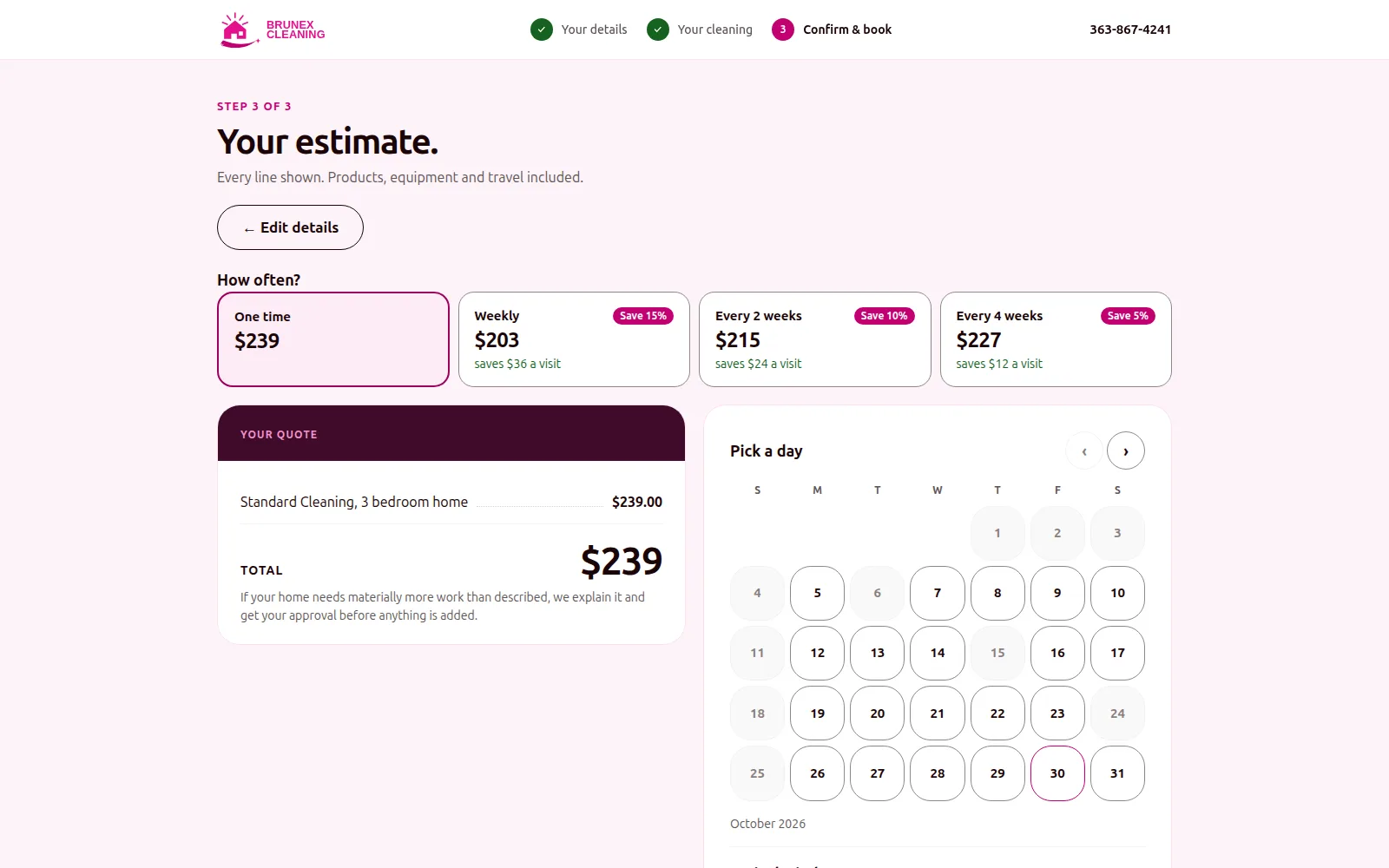
In the Brunex build the base price depends on the service and the number of bedrooms. Extra bathrooms, square-footage bands, the condition of the home and pets add to it. Frequency discounts apply to the base only: 15% for weekly, 10% every two weeks and 5% every four weeks. The published example is a $239 one-time price for a 3-bedroom home. A pure function, one that returns the same quote for the same inputs and touches nothing else, is also easy to test.
Two more rules keep the price honest:
- Unusual homes go to a person. A very large home, an extreme condition or any price over a cap doesn't get an instant price. It goes to the owner for review. An instant quote that is wrong costs more than a short wait.
- Every quote adds up. Show the lines, and make sure they sum to the total. No negative line, and no discount bigger than the base it applies to.
That second rule is easy to say and easy to break, so it was tested rather than trusted. A sweep of 120,960 input combinations confirmed every quote's lines added up to its total, with no negative line and no discount larger than the base. A review of the formula also caught a margin leak of about $30 per booking on every 1-bedroom recurring job, before launch. That is the case for testing price rules against every combination, not a handful of examples.
A short example of why discounts apply to the base only. These are example figures, not a price list.
| Example figures | Amount |
|---|---|
| Base price | $200 |
| Extras (bathroom, condition, pets) | $40 |
| Weekly discount, 15% of the base | -$30 |
| Quote per visit | $210 |
Illustrative figures only.
A discount that also cut the extras would quietly take margin off the work that costs most. Decide which parts of the price a discount touches, and write it into the function.
How should deposits, card on file and cancellations work?
Take a modest deposit when the customer books, save the card, and charge the balance when the work is finished. The deposit makes the booking real, the saved card makes the balance automatic, and a clear cancellation schedule means no one argues about fees afterwards.
At Brunex a $100 deposit is taken at booking, or the full amount if the job costs less. The card is saved, and the balance is charged automatically when the cleaner checks out. While the customer is paying, their slot is held for 35 minutes, so a customer who gets distracted doesn't lose it and a stalled payment doesn't block it forever.
Cancellation fees work best as tiers that scale with how late the cancellation is. These are the starting settings in the Brunex build:
| When the customer cancels | Fee |
|---|---|
| 72 hours or more ahead | Free |
| 48 to 72 hours ahead | 25% |
| 24 to 48 hours ahead | 50% |
| Under 24 hours | 100% |
Show the tiers before the customer pays, not after they cancel. Store them as settings the owner can change, not as numbers buried in code.
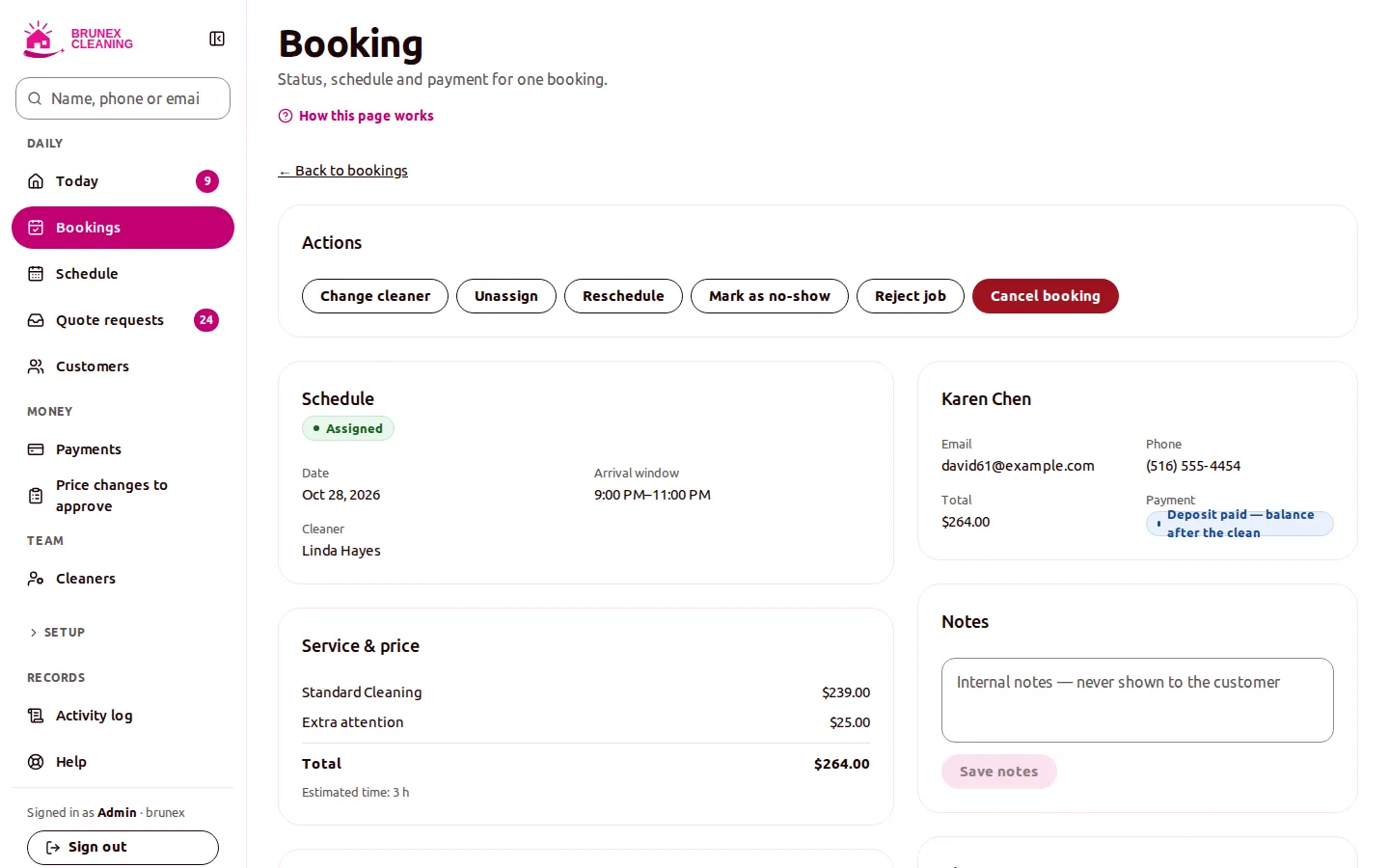
Jobs change on site, too. A cleaner may find the home needs more time than the quote assumed. In this system the cleaner requests extra time or an extra charge and attaches photos. The customer approves by link, or an admin decides. The price moves only when someone with authority says yes, and there is a record of who.
How do you stop double bookings?
Offer only the times that are really free, check again at the moment of booking, and let the database refuse an overlap that slips through. Showing availability is a convenience. Refusing a conflict is the guarantee.
Booking in the Brunex system is by arrival window rather than an exact time. A window is offered only if all of these are true:
- It is at least the minimum notice away.
- At least one qualified cleaner is free, inside their shift and outside their time off.
- There is a 30-minute travel buffer between that cleaner's jobs.
- The cleaner is under the daily job limit.
Customers only see "available". They never see which cleaner, which keeps the schedule flexible and the business free to reassign.
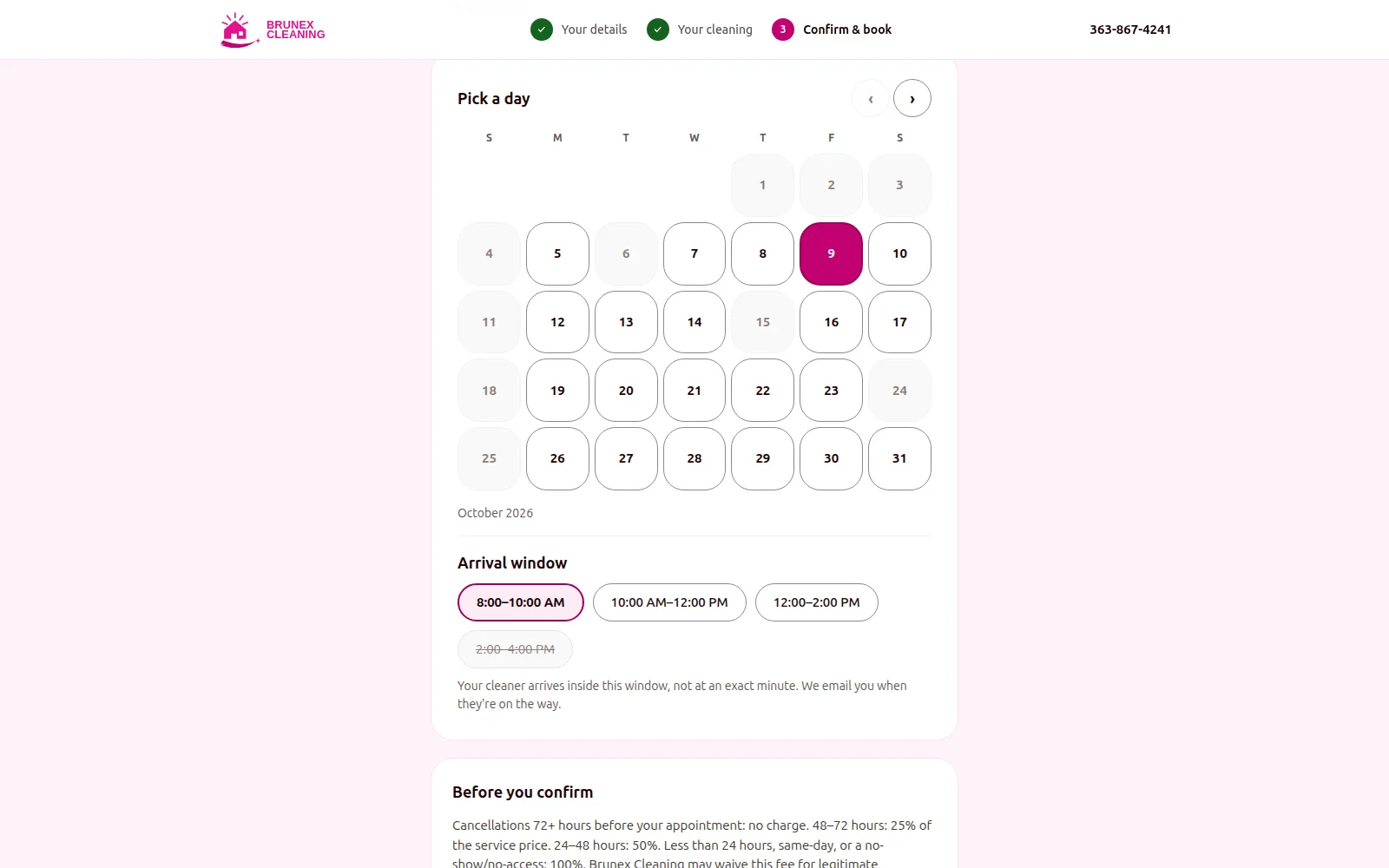
Offering the window is the easy part. The danger is two customers choosing the same window in the same second. So the booking step runs the same availability check again, under a lock for that cleaner on that day, so the second request waits for the first. Behind that sits a database exclusion constraint: two overlapping jobs for one cleaner can't be stored at all, even if every other check has a bug. A race test proves two customers can't take the same slot in the same second.
Windows and buffers also keep the day realistic. A schedule built on exact start times and zero travel looks efficient on screen and fails by the second job.
How do you make sure a customer is never charged twice?
Write the payment down before you ask the provider to take it, and make every repeat harmless. Networks time out, buttons get double-clicked and payment providers send the same notification twice. The system has to treat all of that as normal.
Three rules did the work in the Brunex build:
- Record first, charge second. Each payment is saved as a record before the payment provider is called, and that record's id is used as the idempotency key. An idempotency key tells the provider "this is the same request", so a retry returns the first result instead of a second charge.
- Store each webhook once. A webhook is the provider's message that something happened. A unique key on provider and event id means one that arrives twice is stored once.
- Cap refunds in the database. A database rule means refunded plus reserved never exceeds the amount paid, so a double-clicked refund can't pay out twice.
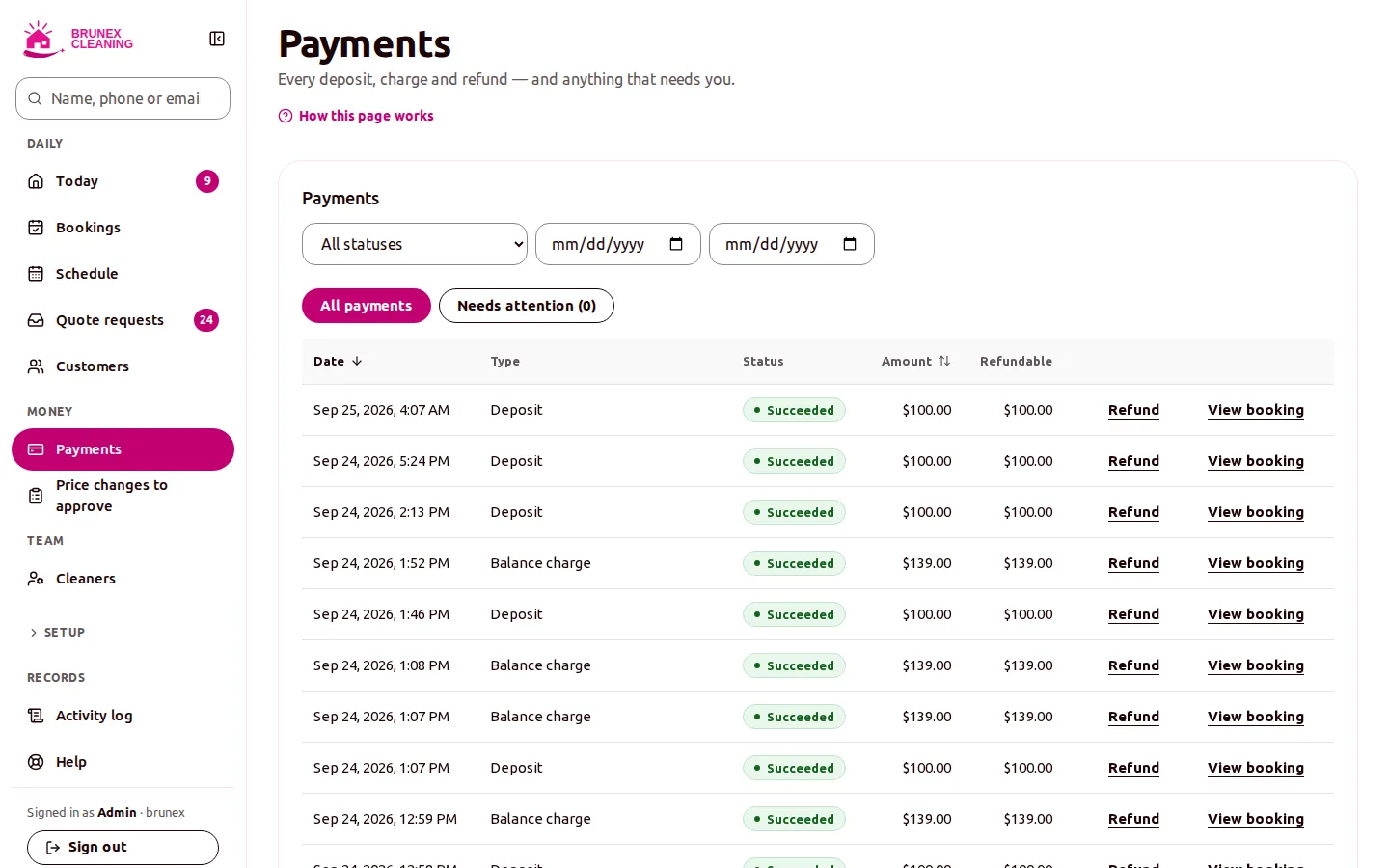
None of these rely on the app being careful. The first makes retries safe, and the other two are enforced by the database, which is the last thing to run and the hardest to bypass. That is the pattern to ask any vendor or developer about: where is each money rule enforced, and what happens when the same request arrives twice?
What does the owner need behind the booking form?
The customer-facing form is only the front door. The owner needs a back office to run the day: a Today view, the schedule, payments and refunds, price changes waiting for approval, and editable prices, service area and quote questions. Cleaners need a phone-first app with "on my way", check-in and check-out, because check-out is what triggers the balance charge.
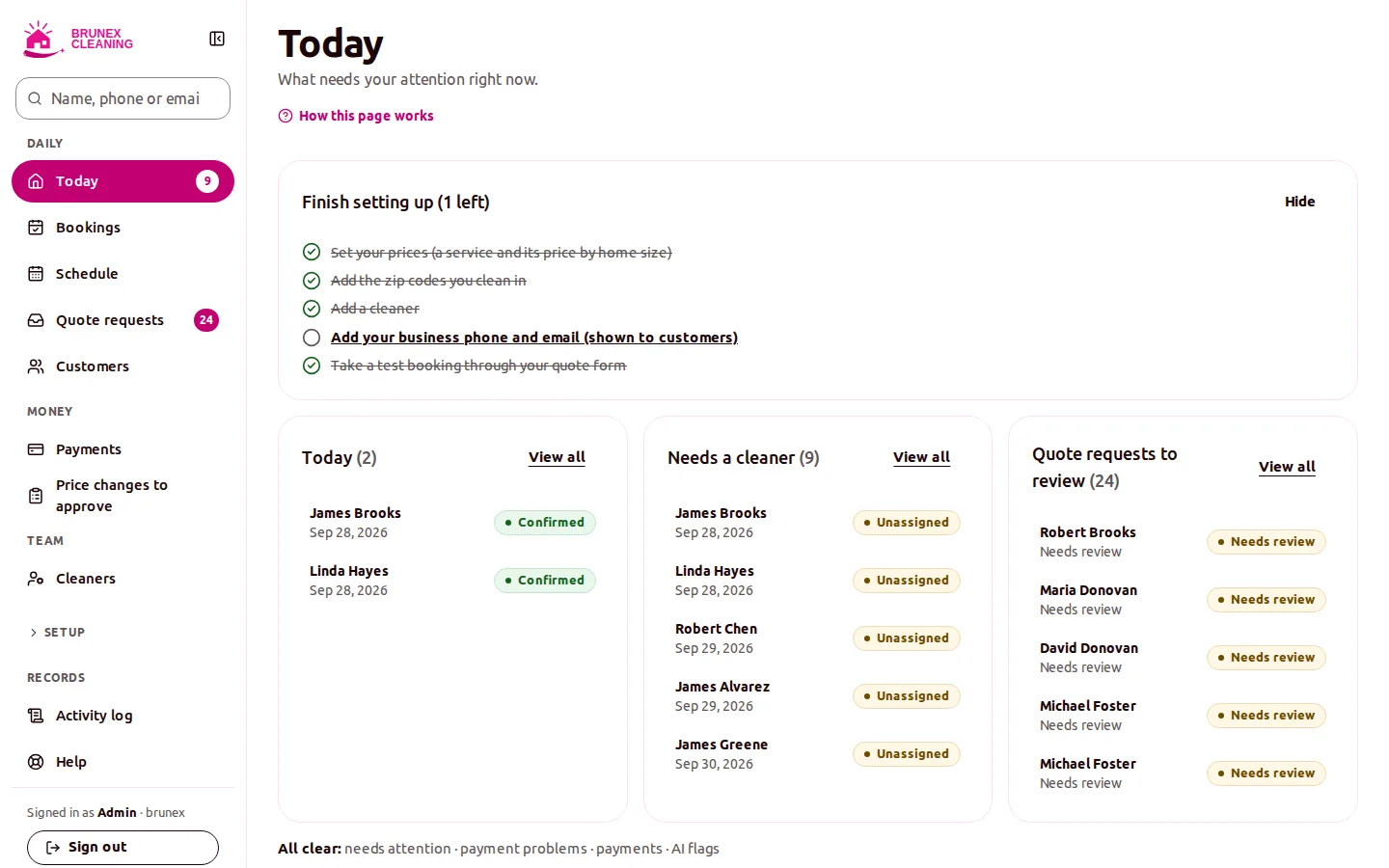
The Brunex system also uses OpenAI gpt-4.1-mini to read each quote request after it is submitted. It writes a summary, a risk score and flags for the owner and a short brief for the cleaner. It can never change a price or block a booking. Keep any AI on that side of the line: it can advise a person, while the money and the calendar stay under fixed rules.
At the go-live build the system had 1,110 API tests and 154 web tests, and 28 written architecture decisions, so a future developer can see why it works the way it does. See the full story in the booking and payments case study, or what a build like this involves on the MVP build page.
Questions owners ask
Buy a hosted tool if your pricing and scheduling are standard, since it is faster to start. Build when your price formula, travel time, crew rules or payment terms are your own and a product would force you to change how you work. Test any product against your five most awkward real jobs first.
Keep the price calculation in one function on the server, so the browser only displays the result. Test it against every combination of inputs, and send unusual jobs, such as very large homes or extreme condition, to a person for review instead of giving an instant price.
Take a modest deposit at booking, save the card, and charge the balance when the work is done. Use cancellation tiers that rise as the visit gets closer, and show them before the customer pays.
Check availability again at the moment of booking, under a lock for that worker and day, and add a database constraint that makes overlapping jobs for one worker impossible to store. The screen is a convenience; the database is the guarantee.
Save each payment as a record before calling the payment provider and use its id as the idempotency key, store each webhook event once, and cap refunds with a database rule. Retries and duplicate messages then do no harm.

Technical partner for real-estate and fintech founders: decides with you what to build, launches it and stays on after launch. Top Rated Plus on Upwork with 100% Job Success. Builds MVPs, rescues stalled builds and hardens AI prototypes.
See client work →