Most founders who add AI to a data pipeline hit the same wall. The model is right most of the time, and "most" is not good enough when the output lands in a CRM your sales team trusts. One wrong phone number or one invented lead costs more trust than ten correct ones earn.
The fix is not a better prompt. It is a human in the loop AI design: a place where doubtful results stop and wait for a person. This guide explains how to build that place, in plain terms. It draws on a real-time lead engine built for Legendrings, which watches 130+ sources through 5 automated stages and keeps unverified data out of the CRM.
What is a human review queue for AI?
A review queue is a list of results the system chose not to trust on its own, each waiting for a person to approve, correct or reject it. Everything else flows straight through. The queue is not a second job for your team; it is the small, deliberate exception path.
Here is the shape of it. Each step has one job:
- Extract. Read the source and pull out the fields you need: a name, an email, a date, a number.
- Check. Run plain rules over the result. Does the format make sense? Is it a duplicate? Does it agree with what you already know?
- Review queue. Anything the checks cannot settle waits here for a person.
- CRM. Only results that passed the checks, or that a person approved, are written, by ordinary code.
The key idea is that a model's job ends at step 1. Deciding what is safe to trust, and writing it to the system of record, are jobs for rules and for people. That split is what keeps bad data out, and it is the same idea behind most serious review designs.
When should AI output go to a person?
When the system is unsure, or when being wrong would be expensive. Route low-confidence results to people and let the rest through. If a person has to look at everything, you have bought a slower spreadsheet.
In practice, three kinds of result belong in the queue:
- Low confidence. The extraction step itself says it is not sure.
- Conflicts. Two sources disagree, or a new value contradicts something already stored.
- Missing or thin. The result passes, but a field you need is empty or looks like a placeholder.
The lead engine shows how this looks when it is built carefully. Extraction there is rules first, with a language model only as the fallback for pages the rules cannot read. A rule-based result is accepted when its confidence is 0.90 or above. Anything below that goes down the slower path. The model's own output is then checked against rule-based patterns, so the model never gets the last word on its own work.
The system also has named review stages for the cases that need a person, such as an identity conflict (two records that might be the same person), a coach mismatch, and an uncertain delivery. Naming the stages matters: a reviewer who opens "identity conflict" already knows what question they are being asked.
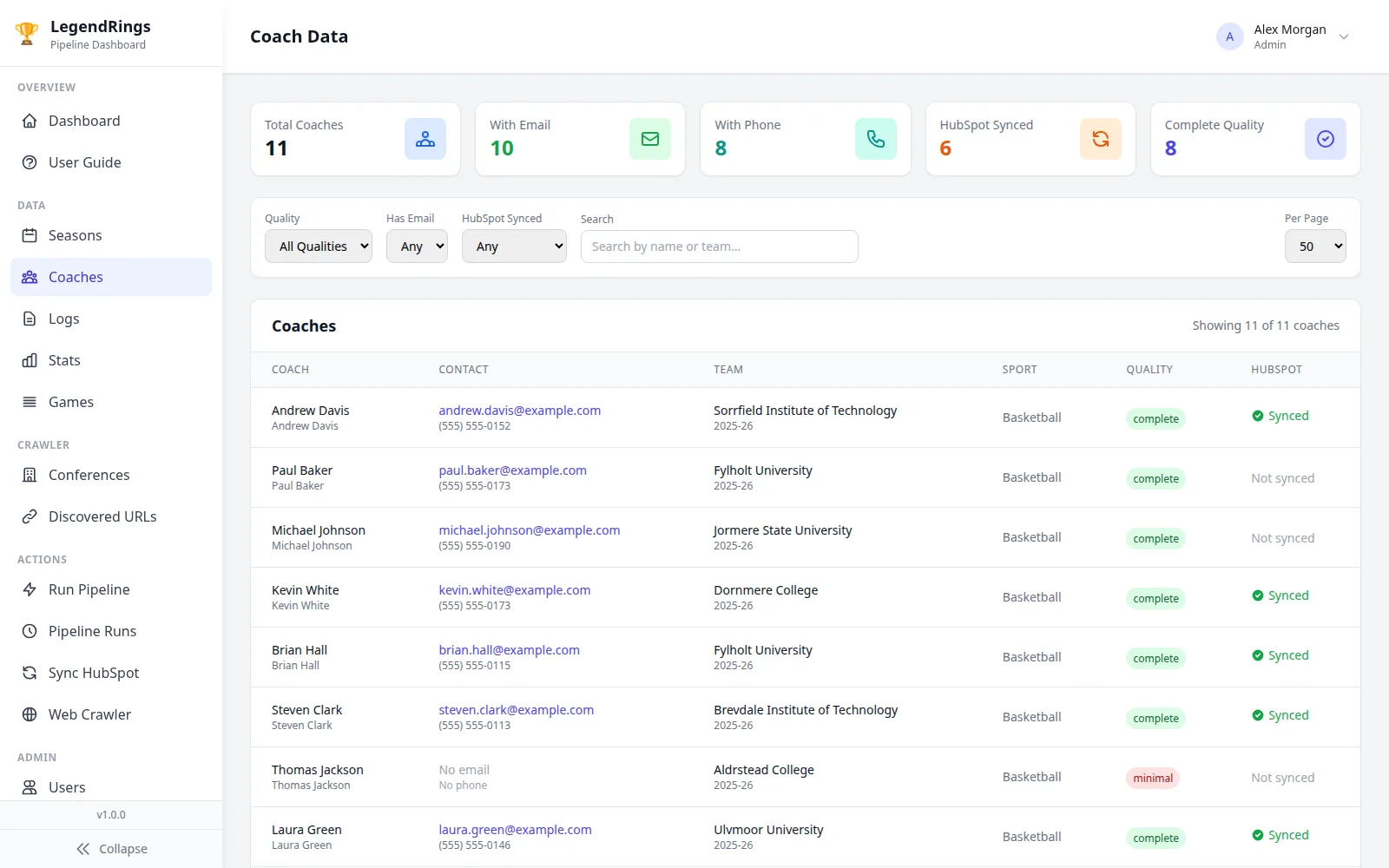
Contact leads in that system are graded for contact quality before they can reach the CRM. A grade is a cheap, honest way to split results into "send on" and "look at first".
How do you set a confidence threshold?
Treat it as a business decision, not a technical one. The threshold is the line between "let it through" and "ask a person", and moving it trades two costs against each other: the cost of a wrong value reaching the CRM, and the cost of reviewer hours.
A simple way to think about it, with made-up numbers:
| If you set the line | More results go to | What you risk |
|---|---|---|
| Low (trust the model more) | The CRM | Wrong values reach the CRM |
| High (trust the model less) | The review queue | A queue nobody can clear |
Illustration of the trade-off, not measured data.
Three habits make the decision easier:
- Start from reviewer capacity. If your reviewer can honestly clear a few dozen items in the time you can spare, a threshold that sends hundreds a day is one nobody will respect. Reviewers who are flooded start approving without reading.
- Set it per field. A wrong spelling of a company name is a nuisance. A wrong email address bounces, and a wrong amount can cost money. Give risky fields a stricter line than harmless ones, instead of one number for the whole record.
- Never rely on the score alone. A confidence score can be wrong. A model can be confidently wrong, and a score is only an estimate. Back it with plain checks: format, duplicates, agreement with other sources.
Then tune it with evidence. Sample some results the system let through and check them by hand. If errors turn up there, the line is too low for that field. If reviewers approve nearly everything the queue sends them, it is too high. Neither is a failure; both are the system telling you where to move it.
What should a reviewer see?
The result, the source it came from, and the reason it was flagged, all on one screen. If a reviewer has to open another tab to check the answer, many will not, and a review nobody really does is worse than none, because it looks like safety.
Build the review screen around four things:
- The source, next to the answer. Show the original page, text or document beside the extracted value, with the relevant part marked.
- Why it is here. "Two records may be the same person" tells a reviewer what to look for. "Low confidence" alone does not.
- The evidence behind the decision. If the system worked something out, show the working so it can be checked.
- Three clear actions. Approve, correct, reject. Nothing that looks like "approve all".
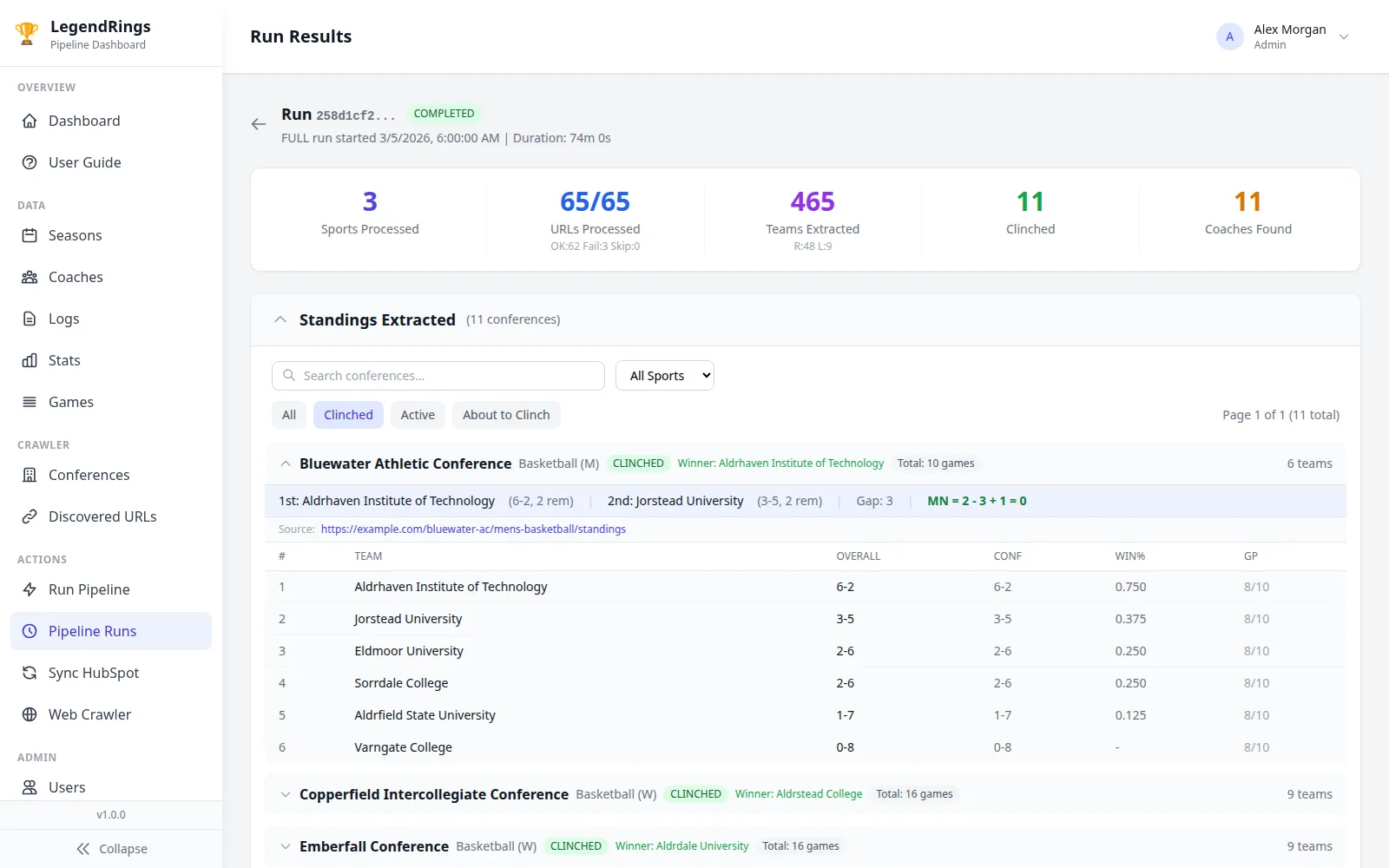
The lead engine's results page is a good example of the third point. Each clinch (a team mathematically securing a title) shows the standings and the arithmetic that proves it. A reviewer does not have to trust the system; they can read the sum.
Two more rules keep reviewers honest. First, do not show the model's confidence as a big green tick. People anchor on it and wave things through. Show it small, or only as the reason for the flag. Second, make "correct" as easy as "approve", so fixing a value is never more work than accepting a wrong one.
Finally, feed corrections back. Every edit a reviewer makes is a labelled example of something the system got wrong. Keep them. They tell you which fields need a stricter line, which rules to add, and which pages the extraction step cannot read. A queue that never teaches the system anything stays expensive forever.
Why should a review never write to the CRM by itself?
Because the person reviewing is answering one question, "is this value right?", and the system must still check everything else before it writes. Keeping those two jobs apart means a tired approval cannot punch a hole through your rules.
In the lead engine, the rule is plain: a review decision never mutates pipeline, award or CRM data by itself. Deciding only records the next action on the review record; it does not write to the CRM. The write is a separate step, run by ordinary code that re-checks the same rules, skips duplicates and logs what it did.
That last step is deterministic code, not the model. Given the same input it does the same thing every time, which is exactly what you want from the part that touches your system of record. Neither a language model nor a rushed click should be able to decide what lands in the CRM.
The same project declares a clinch only when every validation check passes, and re-checks each one with the same rules before anything is written. So there are three layers of defence: checks before the queue, a person in it, and checks again after it.
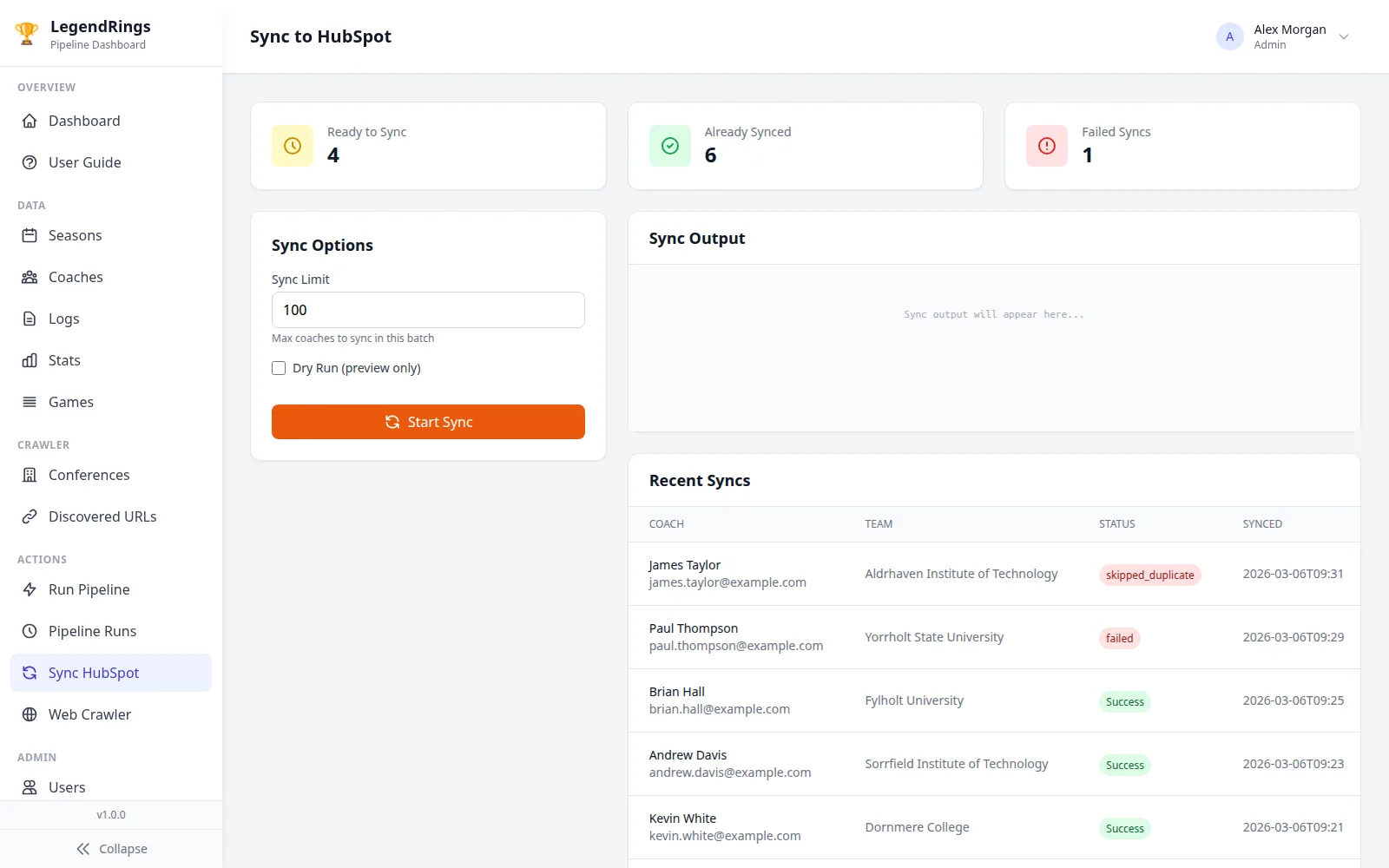
The sync screen above also shows a dry-run option. A dry run does everything except the write, so you can see what would be synced, skipped as a duplicate or failed before it happens. Add one to any pipeline that writes to a system your team depends on.
To see how the whole thing fits together, read the lead engine case study, or see what this kind of build covers on the AI and automation page. If you are still working out budget, read what an MVP really costs.
Questions founders ask about review queues
It means the system handles what it is sure about and hands the rest to a person before anything is saved. In a data pipeline that hand-off is a review queue: a list of doubtful results waiting for someone to approve, correct or reject them.
Results where the system is unsure, where two sources disagree, or where being wrong would be expensive. Everything else should flow through automatically, or the queue becomes slower than the spreadsheet it replaced.
Treat it as a business decision. Weigh the cost of a wrong value reaching your CRM against the reviewer hours you can spare, and set a stricter line for risky fields such as emails or amounts than for harmless ones. Then sample what passed and adjust.
Not on its own. A model can be confidently wrong, so back the score with plain checks such as format, duplicates and agreement with other sources, and let reviewers see the original source next to the answer.
No. Approving should only clear the flag. A separate, deterministic step should re-check the same rules, skip duplicates, log what it did and then make the write, so one hurried click cannot bypass your checks.

Technical partner for real-estate and fintech founders: decides with you what to build, launches it and stays on after launch. Top Rated Plus on Upwork with 100% Job Success. Builds MVPs, rescues stalled builds and hardens AI prototypes.
See client work →