The first version of an AI feature is usually cheap, because only a few people use it. Then it works, usage grows, and the monthly bill grows faster than the revenue. Founders often respond by shopping for a cheaper model. That helps a little. The bigger saving comes from sending the model less work in the first place.
This guide is for non-technical founders who run, or are about to run, an AI feature in production. It covers one idea that vendor blogs rarely mention: put cheap, predictable rules in front of the model, and call the model only for what rules can't decide. It is based on building an AI deal-finder that ran at roughly 75% lower cost than the original approach, and an underwriting platform that costs under $40 a month to run in total.
Why do AI costs grow faster than usage?
Because every item you send to a model costs money, whether or not the model's answer changes anything. Costs follow volume of work, not volume of customers, and work tends to multiply: one customer can trigger hundreds of items a day.
Three habits cause most of the waste in a first version:
- Everything goes to the model. It is the quickest way to build, so every record, listing or document is sent, including ones a person could dismiss in a second.
- The same thing is paid for twice. A record that hasn't changed since last week is sent again, because nothing remembers the earlier answer.
- Re-runs and retries. A scheduled job that reprocesses everything each time, or a retry loop that repeats a failed call without limit, multiplies the bill quietly.
None of these show up in a demo with ten test records. They show up when real volume arrives, which is why cost belongs in the design from the start and not in a clean-up after launch.
What should never be sent to a model?
Anything a rule can decide. If the answer follows from the data in a fixed, checkable way, ordinary code is cheaper, faster, and gives the same answer every time. A model should see only the cases where a human would otherwise have to use judgment.
A useful test is to ask whether you could write the decision on a sticky note. If you can, it is a rule.
| Kind of question | Who should answer it |
|---|---|
| Is this a duplicate of something already seen? | Rules |
| Has anything changed since the last run? | Rules |
| Is a required field missing or out of range? | Rules |
| What does the formula give for these numbers? | Rules |
| Have we already answered this exact question? | Cache |
| What does this free text actually mean, or what is the risk? | Model |
| Write a short explanation a person can read | Model |
There is a second reason beyond cost. Rules are predictable. When a number decides money, such as a score, a price or a payout, you want the same input to give the same output tomorrow. Models can vary, so keep them away from anything you need to audit.
How does a rules-first pipeline work?
It runs each item through a fixed series of gates, cheapest first, and stops as soon as an item is settled. Only what survives every gate reaches the model.
- Deduplicate. Drop what you have seen before. Two copies of the same record should cost one check.
- Detect change. Skip items that haven't changed since the last run. Re-checking unchanged data is pure waste.
- Apply hard rules. Discard items that fail a plain requirement, and compute everything that is arithmetic.
- Check the cache. If the same question was answered recently, reuse the answer.
- Call the model. Only now, and only for the judgment part, with a small, well-defined question and a short structured answer.
Here is how that can look on a stream of incoming items. These are made-up numbers to show the shape of the saving, not results from any project.
| Gate | Items left |
|---|---|
| Items arriving this week | 10,000 |
| After removing duplicates | 8,000 |
| After skipping unchanged items | 3,000 |
| After hard rules | 1,500 |
| After cache hits | 1,200 |
| Sent to the model | 1,200 |
Example figures for illustration. Real filters depend entirely on your data.
In that example the model sees 1,200 items instead of 10,000. The bill for the model step shrinks by the same share, and the cheaper gates in front of it cost close to nothing to run.
Keep each stage separate
Build the gates and the model call as separate stages, each doing one job and passing work to the next through a queue. Then a slow or failing model call can't stop collection, and a failed item is retried on its own instead of re-running everything. Separate stages also let you measure each one, which is the next section.
Ask the model a small question
When an item does reach the model, give it only what it needs and ask for a short, structured answer. Shorter inputs and outputs cost less, and a structured reply is easier to check by code than a paragraph of prose. If a reply fails the check, retry a limited number of times, then flag the item for a person. Never retry without a limit.
How do you measure AI cost per feature?
Write down every model call with the feature that triggered it, the size of the input and output, and what it cost. Then total them by feature and by day. Without that table, you only know the invoice went up, not why.
A minimal record for each call has five fields:
feature      which part of the product made the call
stage        which step of the pipeline it came from
tokens_in    size of what was sent
tokens_out   size of what came back
cost         what this one call cost
Once you have it, three questions answer themselves. Which feature is the most expensive? What does one customer action cost us in model calls? And did last week's change make that number go up or down? Set a budget alarm per feature, so a runaway loop shows up the same day and not on next month's invoice.
Measure the filters too. Count how many items each gate removes. If a gate removes almost nothing, it is not earning its place. If one removes most of the work, protect it and look for another like it.
What does it look like in a real product?
In the two products below, the model does the smallest possible part of the work. The rest is ordinary code that costs very little to run.
An AI deal-finder: about 75% lower running cost
The nestper deal-finder surfaced promising real-estate deals from a constant stream of listings. The early version was expensive to run. It was rebuilt as three isolated stages, collection, AI scoring and delivery, with a rules-first cascade in front of the model: deterministic code handled everything knowable from the data, and AI was reserved only for the judgment calls. Together with deduplication and caching, that cut the running cost by roughly 75% compared with the original approach, while keeping quality high.
The split is visible in the finished product. The analyzer runs in stages: it collects the listing, computes the metrics, and only then reviews with AI.
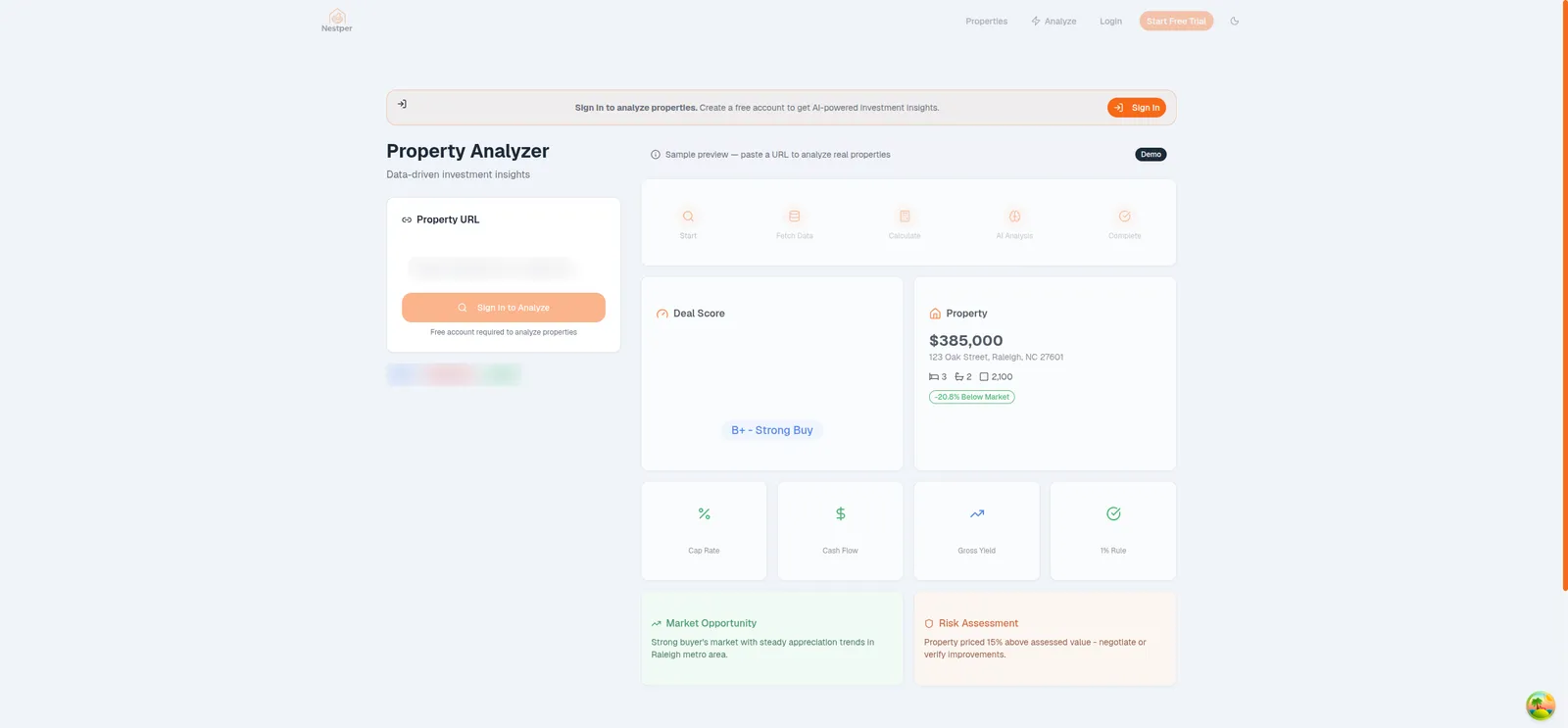
In the code, the deal score is a rules-based formula from 0 to 100. It weighs price against assessed value, cap rate, cash flow and days on the market. A hosted model, gpt-4o-mini, writes only the investor insights and sub-scores, and returns them as JSON that code can check. So the number a person acts on is the same every time, and the model is used for the part that needs reading and judgment.
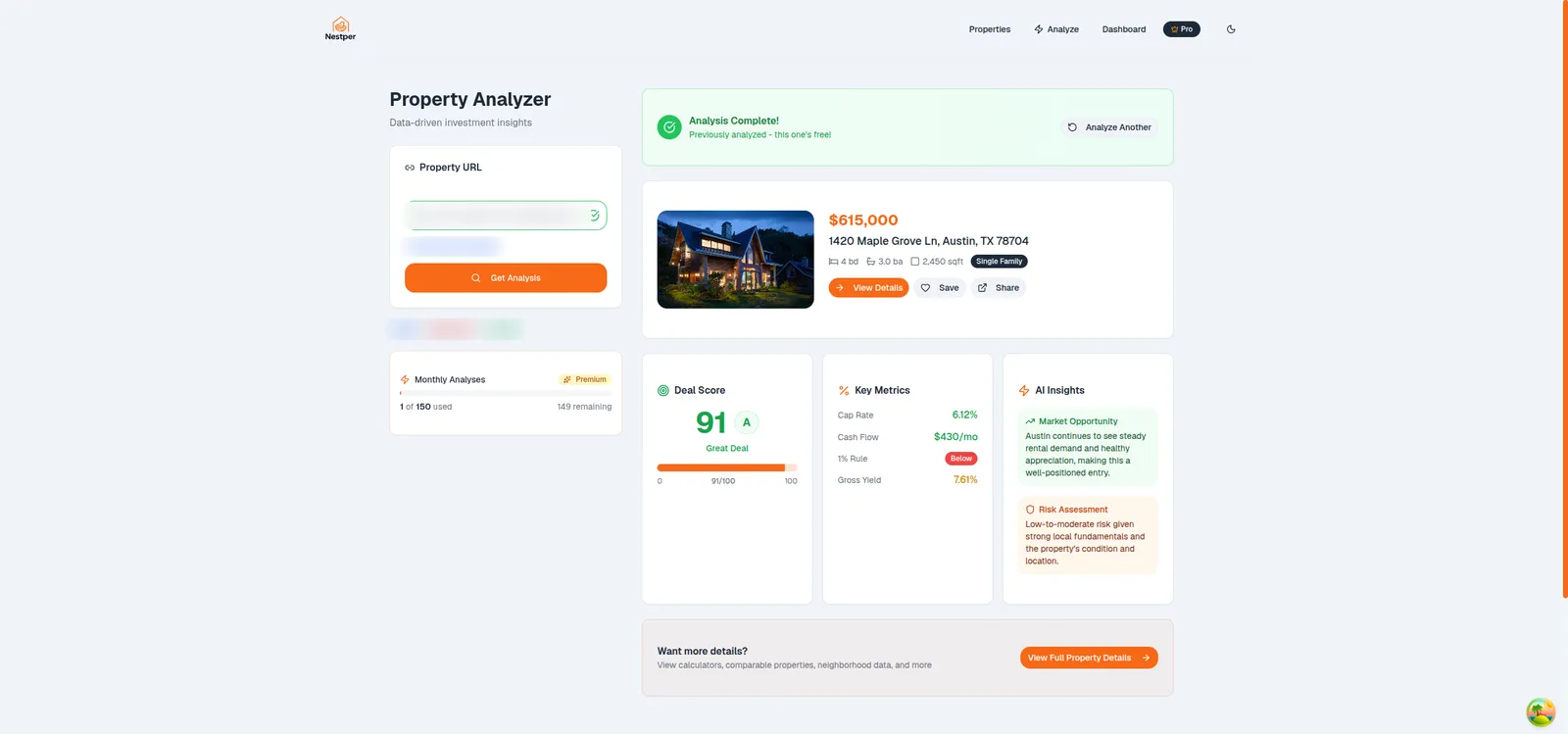
Each property page carries its own score and plain disclaimers, so the reader knows what the score is and isn't.

One honest note: this product was later closed by its owner, for business reasons unrelated to the build. It is shown here as engineering work that was delivered, not as a live product.
An underwriting platform under $40 a month
The multifamily underwriting platform built for REK Partners turns raw property listings into investment numbers on a schedule. Its total running cost, hosting, database, scraping and AI together, is under $40 a month. Change detection is a large part of that: each run re-fetches only listings that are new or whose price or status changed, which skips about 90% of them. AI is used only where rules can't help, such as classifying property type from images and pulling details from listing text. The cap-rate math itself is code, and a listing with missing inputs gets no number rather than a guessed one.
The pattern is the same in both: know what you can know, remember what you've already paid for, and spend model calls on judgment. If you are weighing where AI belongs in your own product, the AI and automation service page explains how this kind of project is scoped.
Questions founders ask about AI costs
Send the model less work. Remove duplicates, skip items that have not changed, apply plain rules for anything the data already answers, and reuse cached answers. Keep the model for the judgment calls only. Quality holds because the model still handles the hard cases.
It helps a little, but the larger saving usually comes from calling the model less often. A cheaper model that is still called for every item keeps the same wasteful shape. Filter first, then choose the model for the work that remains.
Anything a fixed rule can decide and anything you need to audit, such as scores, prices and payouts. Use code for those so the same input always gives the same output, and let the model write explanations or read free text.
Log every model call with the feature and pipeline stage that made it, the input and output size, and the cost. Total the log by feature and by day, and set a budget alarm per feature so runaway loops show up the same day.
It depends on your data, so no honest number can be promised in advance. On one real-estate deal-finder, a rules-first cascade with deduplication and caching cut running cost by roughly 75% versus the original approach. A Build Plan can estimate it for your product.

Technical partner for real-estate and fintech founders: decides with you what to build, launches it and stays on after launch. Top Rated Plus on Upwork with 100% Job Success. Builds MVPs, rescues stalled builds and hardens AI prototypes.
See client work →